Address Index Overview
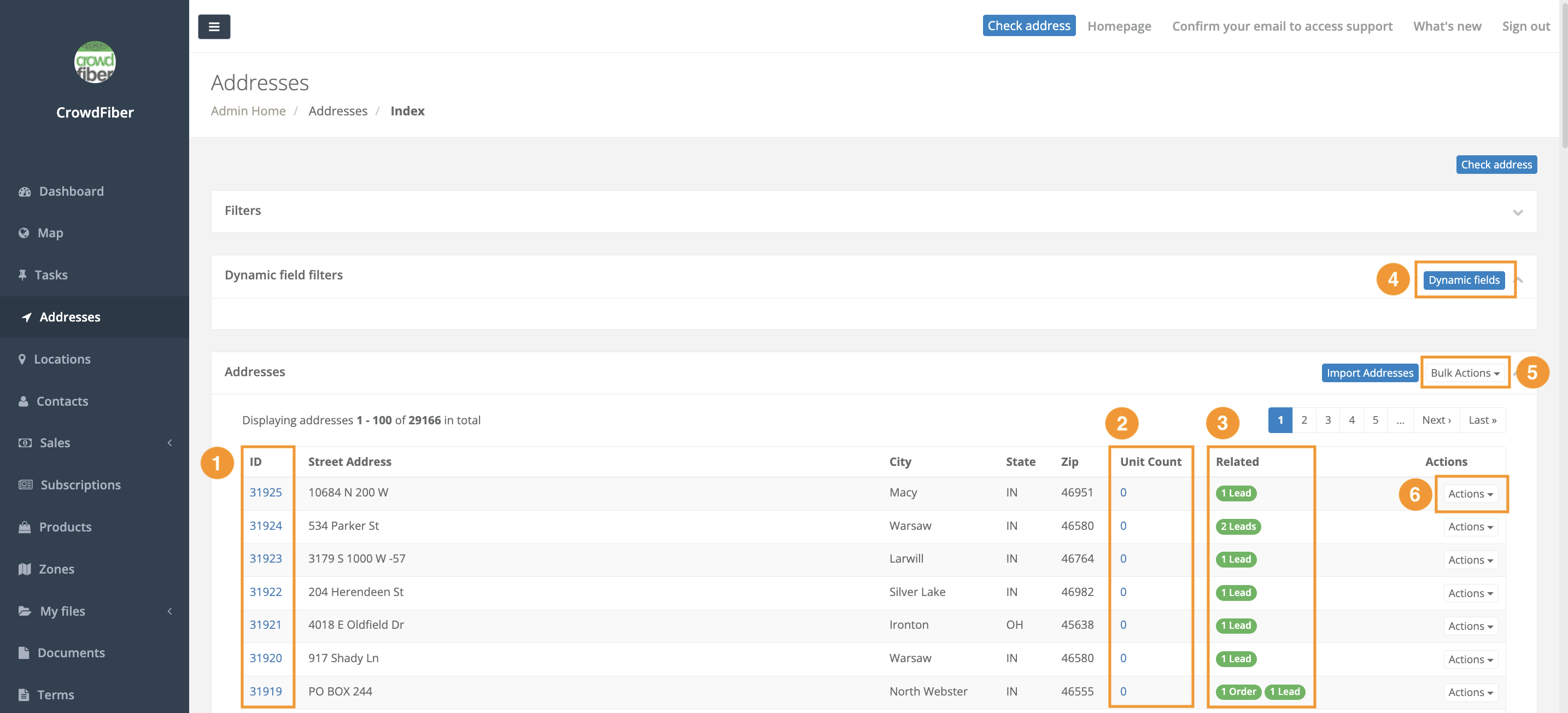
The Addresses index contains a database of all addresses in the areas set up when launching CrowdFiber. Addresses are either imported through tax parcel data or added through customer sign-ups.
- ID
- The unique number ID for each address within your CrowdFiber site
- Unit Count
- The number of units (apartments, suites) in that address
- Related
- This shows how many orders, contacts, or accounts are tied to this address in your platform. Details on these relationships can be found in the menu of that address under the "Relationships" tab.
- Dynamic Fields
- Allows custom column headers for data
- Bulk Actions
- Various actions that will apply to all the currently displayed addresses
- Actions
- Actions that can be performed on a single selected address
Bulk Actions Menu
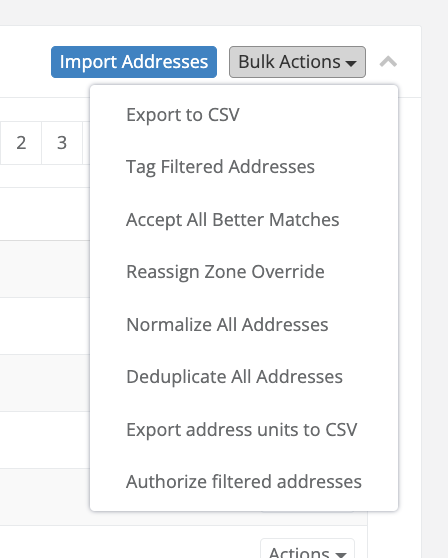
- This export can be found and downloaded in the My Files > Exports menu from the left handrail.
Tag Filtered Addresses
- This allows the filtered addresses to be tagged at once. It will ask if you are sure you want to tag the addresses before it saves.
- When an address has a better match it will show "Possible Better Match" and the suggested address. Selecting this option will accept these better matches and update the address records.
- The filtered addresses will be overridden to the zone of choice by using this feature. This will override an "in zone boundary" zone to a zone of your choosing.
- Feature attempts to render all addresses imported into your CrowdFiber platform to display in the same grammatical format
Deduplicate All Addresses
- Any duplicate addresses will be deduplicated and merged with the best of the options. Export address units to CSV
- Creates a CSV of all addresses that contain a unit letter or number.
- Authorizing an address allows it to behave in alternative ways as desired by the user.
Actions Menu
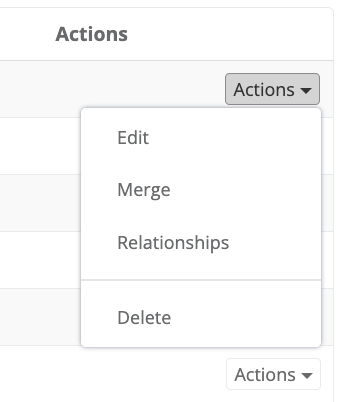
Edit
- This shows all the data and relationships for that addresses and allows editing of some parts of the entry.
Merge
- This can be used to manually merge mistyped double addresses together. More details can be found by clicking merge.
Relationships
- Shows the various contacts, orders, and site visits related to that address.
Delete
- Removes the address from your site.