Authorized Addresses
What is an authorized address?
Authorization is an attribute located in each address record that allows CrowdFiber users to designate certain addresses to behave in different ways within the application. Users may choose to authorize a specific set of addresses such as a house file, actively served addresses, imported addresses but not end user-created addresses, etc. It is entirely up to the user as to what constitutes an authorized address vs. an unauthorized address.
How does an address become authorized?
By default, all address records begin as unauthorized addresses. An address can be authorized three different ways:
1) Altered by an admin user via the UI
- These changes can be done on an individual record, or in bulk by using the "Authorize filtered Addresses" option found within the Bulk Actions menu on your Address Index
2) Imported as an attribute during an address import
3) Dictated via the API
End users cannot affect the authorization status of an address, only CrowdFiber users (admins).
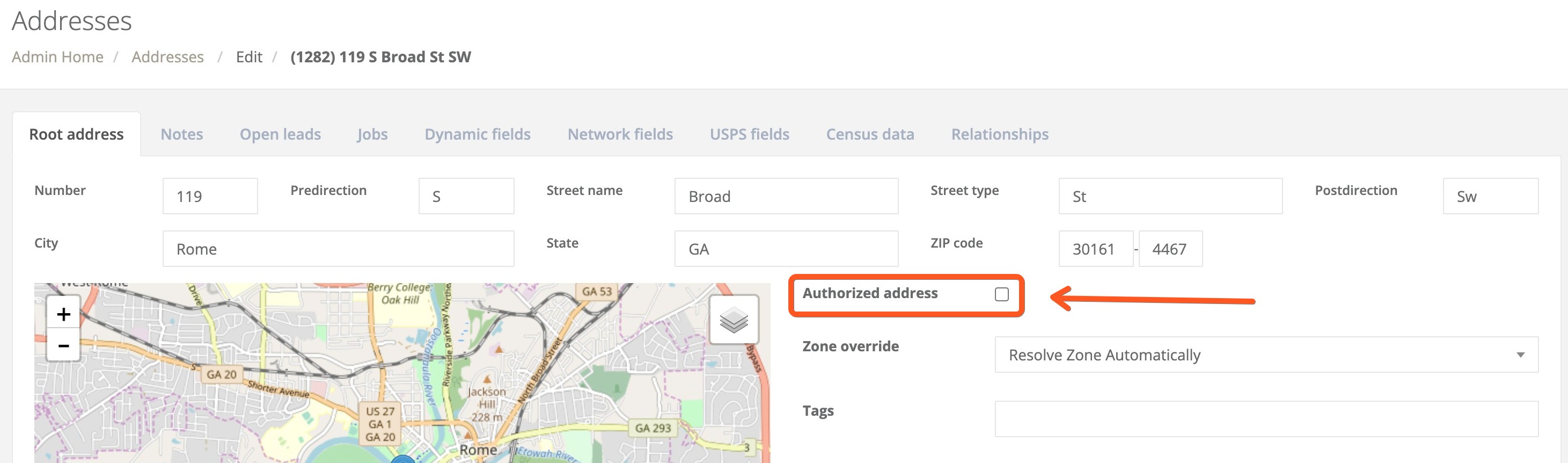
What does authorizing an address do?
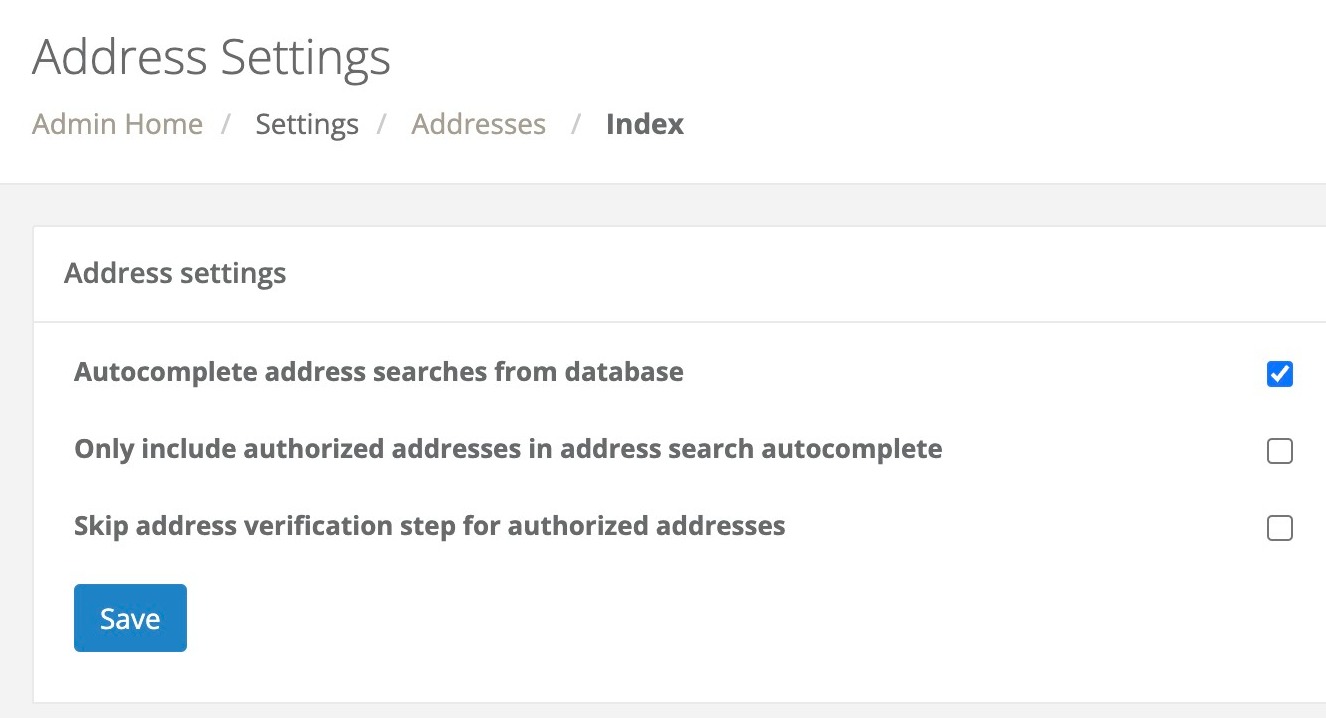
Authorizing an address allows it to behave in alternative ways as desired by the user. Alternative behaviors must be enabled by CrowdFiber users, and by default there is no change to functionality simply by authorizing addresses. The various settings that allow users to leverage authorized addresses can be found in Settings > Addresses in the left-hand rail of the Admin Dashboard.
Some of these alternative behaviors include:
- Allowing authorized addresses to bypass the Confirm Location step when searched by end users during the registration process
- Only using authorized addresses as suggestions for autocomplete in the address search widget
New Filters Associated with Authorized Addresses
New filters have been made on the Address index and on the Contacts index. You can now filter out your Authorized Addresses from the rest of your address database and can filter out Contacts associated with Authorized Addresses from the rest of your contact database.