Better Match: Reduce Duplicate Addresses
Over time, your customers will type in addresses that do not agree with postal standards. These addresses might even be correct - we've seen areas where municipal governments and the US Post Office disagree on how to even spell a street name.
CrowdFiber has many tools that automatically work to help you manage addresses. One of them is called Better Match. In cases where we aren't positive that two addresses should be combined, we present a Better Match opportunity for you. Filtering your disputed addresses is easy:
- In the left-hand rail of your Admin Dashboard, click Addresses.
-
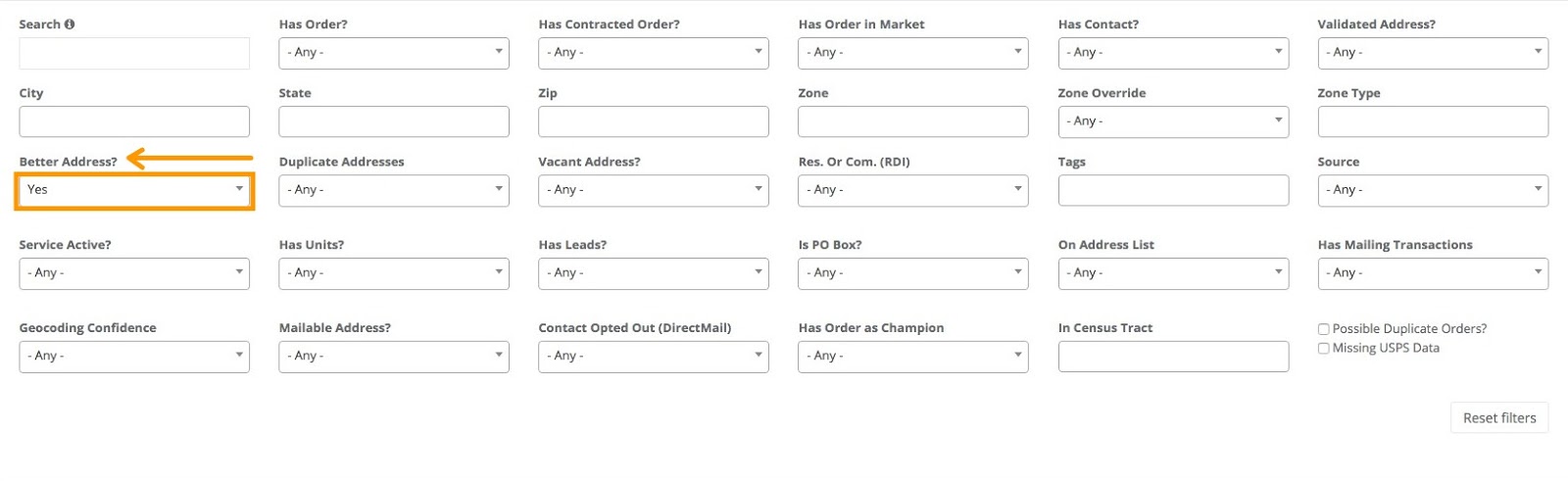
Locate the Better Address? filter and use the drop-down menu to select Yes.
-
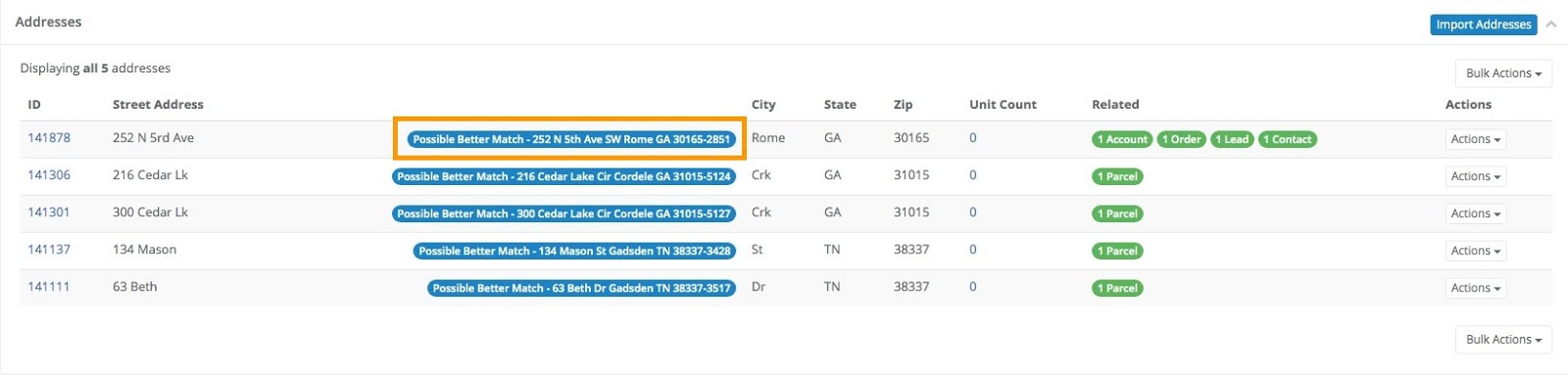
Scroll down to find your filtered list of addresses that have a Better Match.
-
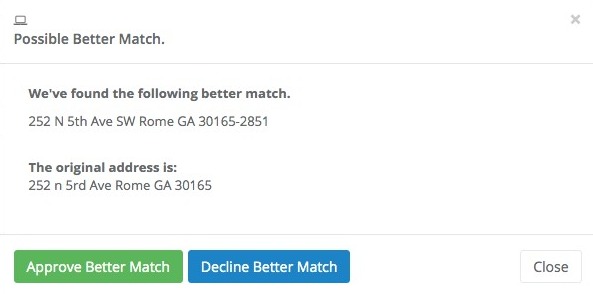
Clicking on the Better Match window will pop-up a new window that will allow you to approve or decline this suggestion.
If you want to reject the match, you can click on the suggested match and decline it.
Many matches?
CrowdFiber highly encourages reviewing Better Matches prior to acceptance.
If you need to deduplicate and improve address deliverability across several addresses at once, simply click on Bulk Actions and choose Accept All Better Matches.
