Delete an Address
How to Delete an Address
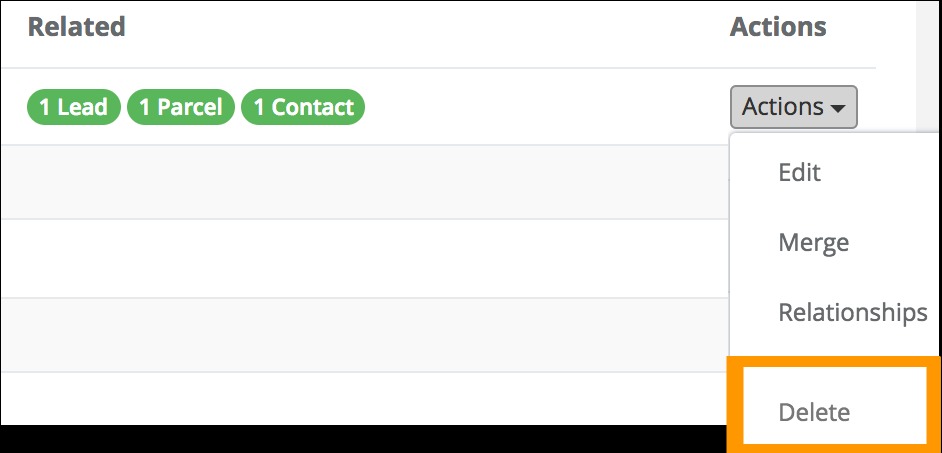
Inaccurate addresses only associated with following may be deleted:
- Parcels
- Leads
- Contacts
-
Click the Addresses link located in the left-hand rail of your Admin Dashboard
-
On the following Addresses page use the filters located at the top of the page to locate the address that you would like to delete.
-
From the Addresses index located below the Filter section on this page, locate in the row containing the address that you would like to delete.
-
Click the Action button in the far right-hand column of the row.
-
Select Delete from the Actions button drop-down menu.
Why can't I Delete an Address?
To prevent the deletion of address records connected with valuable prospect or customer accounts, CrowdFiber protects your addresses by making them ineligible for deletion after they become associated with customer activity.
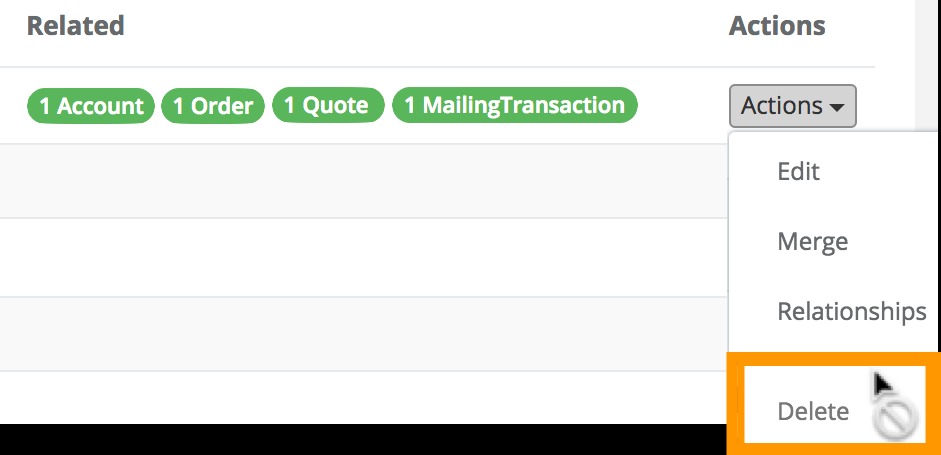
If you want to delete an address and notice that the option to delete the record is not available, examine the address record and remove any relationships listed above from the address record. Once all of these relationships have been unassociated with the address, the record will become eligible for deletion.
The Delete option will not be clickable in the Action drop-down menu once there are one or more of the following relationships with an address:
- Account
- Default address for your Admin/Settings/Campaign
- Direct Mail Campaigns
- Orders
- Quotes
Tip
If you want to delete an address and notice that the option to delete the record is not available, examine the address record and remove any relationships listed above from the address record. Once all of these relationships have been unassociated with the address, the record will become eligible for deletion.