Normalize Address
What is Normalize Address?
The Normalize Address feature attempts to render all addresses imported into your CrowdFiber platform to display in the same grammatical format, including:
- Address Predirection
- Street Type
- Post Direction
- City
- State
- Zip code
Example
Pre-Existing Address
123 sw Main st, rome, ga 30161
Normalized Address
123 SW Main St, Rome, GA 30736
How to Normalize Addresses
- In the left-hand rail of your CrowdFiber Admin Dashboard, click Addresses.
- On the following Addresses page, determine whether your goal is to Normalize all addresses or Normalize a specific list of addresses in your CrowdFiber address database.
- To Normalize all addresses proceed to Step 3.
- To Normalize a specific list of addresses:
- In the Filter section of your Address page, apply all of the relevant filters that will refine your global list of CrowdFiber addresses into your desired refined, specific list of addresses.
- Click the blue Filter button located in the bottom right-hand corner of the Filter section of your Addresses page.
- Once the filtered list of addresses loads on your Addresses page, proceed to Step 3.
- On your Addresses page, click the Bulk Actions button located above the upper right-hand corner of your Address Index.
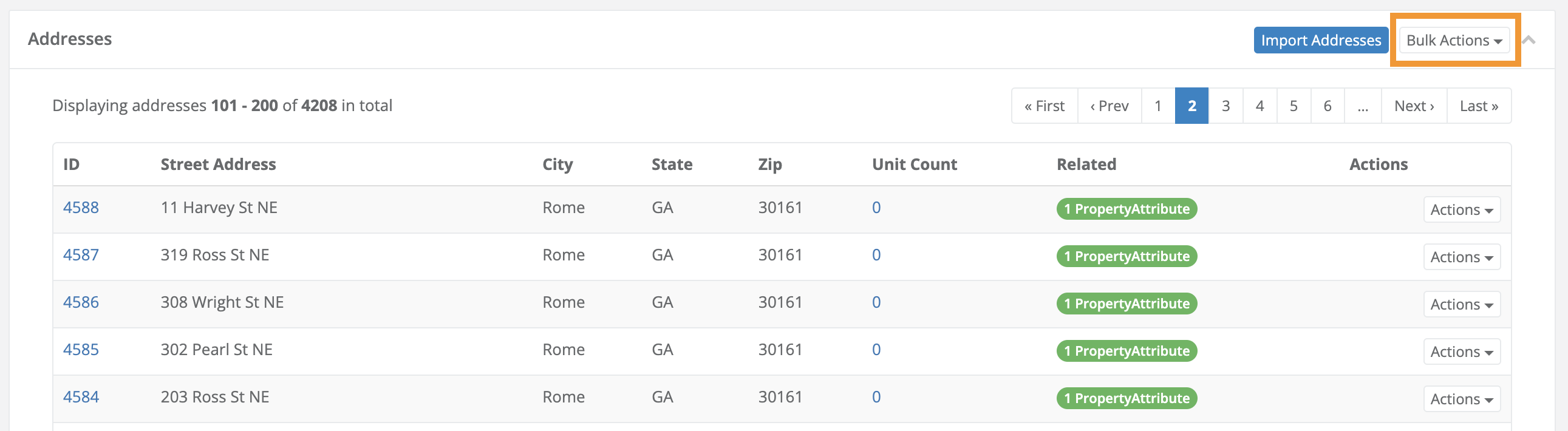
4. In the Bulk Actions drop-down menu, select Normalize Address.
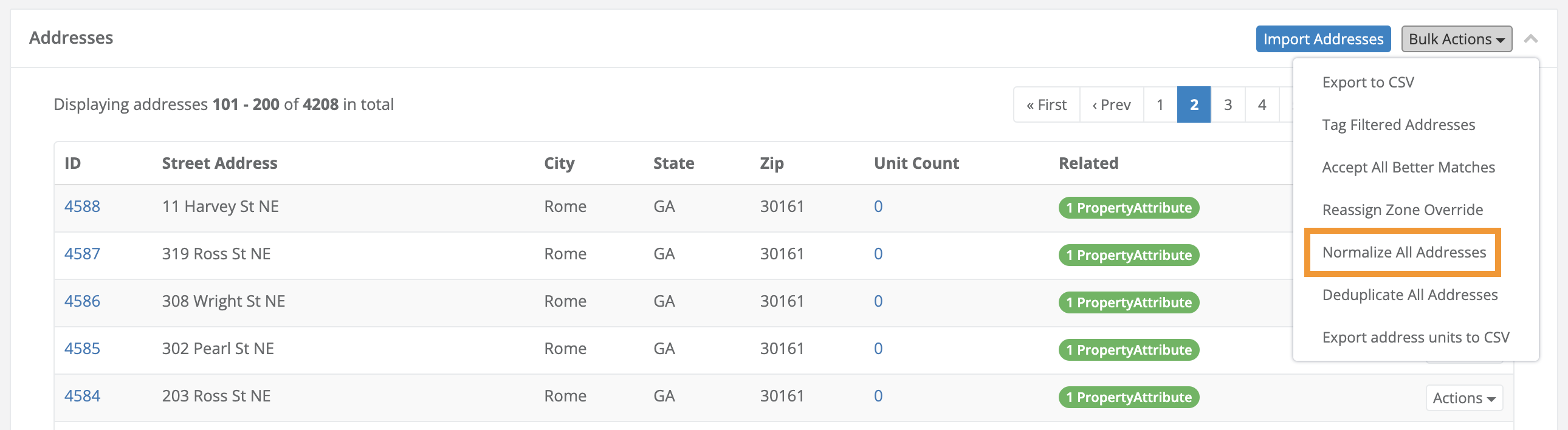
5. Allow the Normalize Address feature to carry out the normalization process.
Info
- The Normalize address feature will automatically start running in the background.
- The time it will take the Normalize Addresses process to complete will be determined by the number of addresses:
- Normalizing 100 addresses will take a shorter amount of time than Normalizing 10,000 addresses.