Leads: Records of Abandoned Registrations
What are Leads?
Lead records are created whenever a visitor searches for an address via the Home Page of your CrowdFiber site or your Address Search Widget. Each lead represents a new opportunity for a new customer.
Leads progress through three stages:
1. Lead Created

The initial address search instantaneously creates a lead record with four attributes:
- ID: a unique numeric identifier for the lead record
- Created at: date and time stamp
- Market type: market selected during the initial address search (ex: Residential, Commercial)
- Address: street address, state & zip code of the searched address (linking to the address record)
2. Contact Information Acquired

Once a lead completes the Contact Info Panel in your registration process, the contact info submitted through this panel is applied to the lead record.
You'll typically see three pieces of contact information:
- Name
- Phone Number
- Email Address
3. Order Converted - Registration Complete
After the lead completes their registration, the registration/order is connected with their lead record.
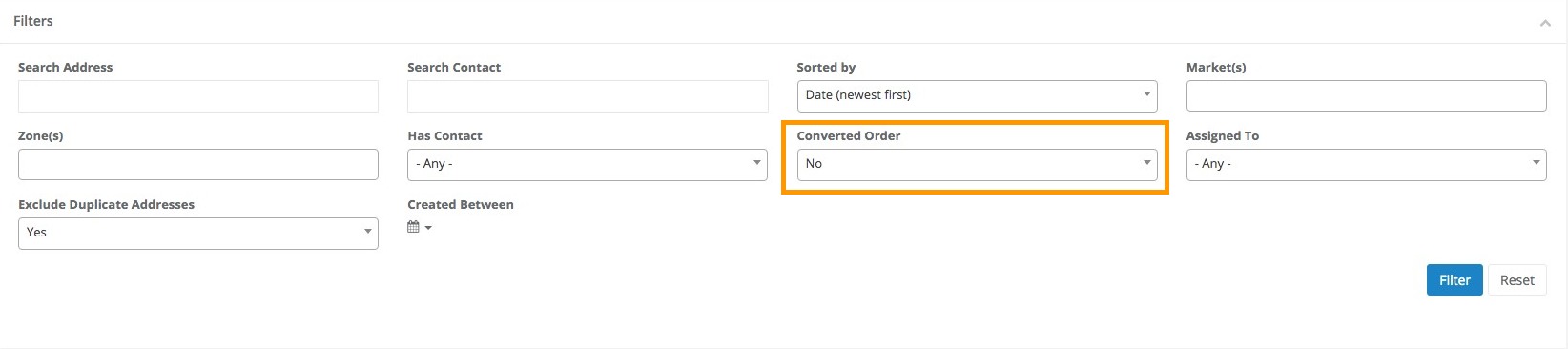
These converted leads can now be identified as pre-registrants and customers by applying the Leads Page filter Has Converted Order = Yes.
How to Use the Leads Page
The Leads page was created to help both your marketing team and your customer service team organize and communicate with warm leads.
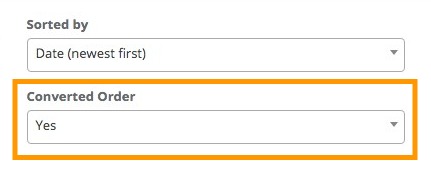
Your index of leads has a default view with the Has Converted Order filter set to Yes. As the page loads, you'll have a snapshot of where opportunities exist.
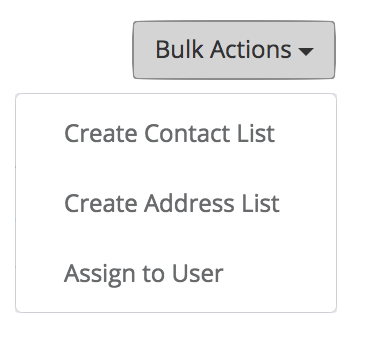
Bulk Actions make it simple to communicate with your new prospects at scale.
Marketing Efficiency
The Leads page makes it simple for your marketing team to communicate with a targeted list of leads via email or direct mail. By using the filters located at the top of the page, you can create specific, targeted lists of leads. The Bulk Actions options on this page then give you the ability to quickly turn this list into a contact list or an address list required for email and direct mail communication.
Customer Communication
The Leads page can make it easy for your CSRs to reach out to new leads while they're still warm. Your CSRs can use the filters at the top of the page to create a targeted list of new leads created within a certain range of dates that also have contact information associated with the lead record. Every day they'll have a fresh list of new prospects that they can work toward turning into customers.
CSR Workload
Leads also make it easy for CSR Managers to balance their team's workload by assigning new leads to individual CSRs. By using the filters at the top of the page to create a specific list of leads, a Bulk Actions option Assign to User gives them the ability to immediately assign this specific list of new opportunities to a specific CSR.
