Generating FCC Subscriptions Report
What Is BDC Subscription Data?
BDC subscription data refers to information collected by the FCC from broadband providers about the number of customers who have subscribed to their broadband services. This data is used to track actual broadband usage and availability across different regions, helping to identify gaps in service coverage and underserved areas. By collecting this subscription data, the FCC aims to create more accurate broadband maps and inform decisions on improving broadband access nationwide.
How do I Get Started?
You'll need to make sure you've implemented BDC Reporting Criteria for your zones. More information on configuring these settings can be found in our section on Polygon Coverage Areas. You'll also need to obtain a CSV report of your Active Subscribers from your billing system. Information on Importing Subscription Data.
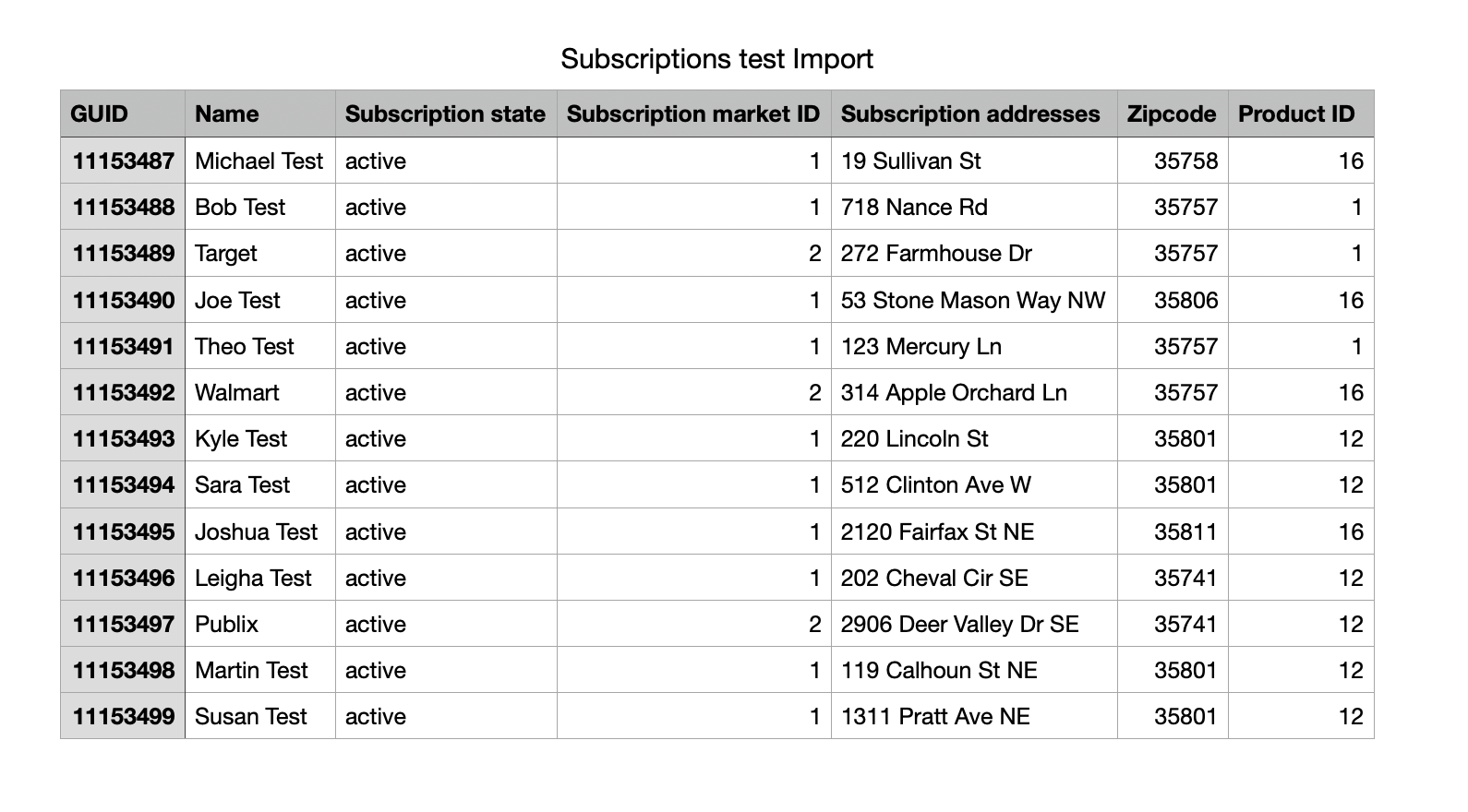
Your CSV must contain the following columns for a successful FCC Subscriptions Report:
- GUID (Globally Unique ID)
- A unique identifier for each of your Subscription records.
- Name
- Name of the customer/subscriber
- State
- State of Subscription (Inactive, Active, Canceled, Paused, Expired, Future)
- Service Class ID
- Use "1" for residential subscribers and "2" for commercial subscribers
- Subscription Address
- ZIP code
- Product ID
- Assigned by CrowdFiber in the Products index. This ID should align with the product associated with the subscriber.
Here's an example import:
Once you've imported your subscriptions, you'll need to establish a few settings within each product record:
- Turn on "This is a fixed broadband product"
- Assign a Technology type
- Implement Advertised upstream bandwidth and Advertised downstream bandwidth
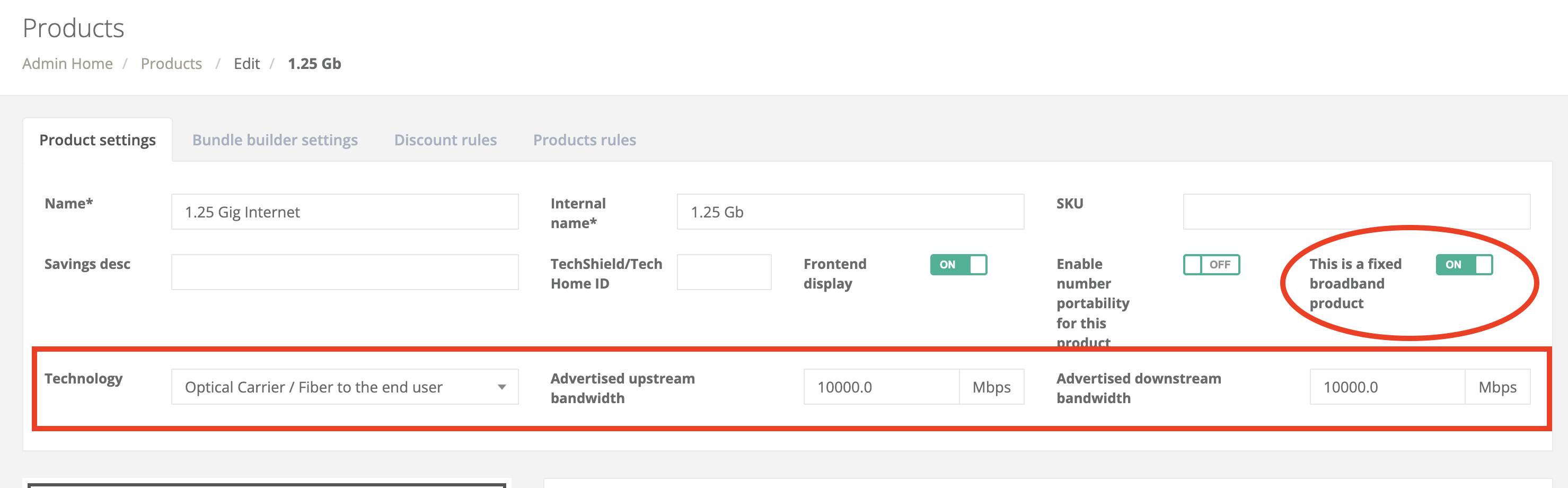
Be sure to save each product record after implementing your changes.
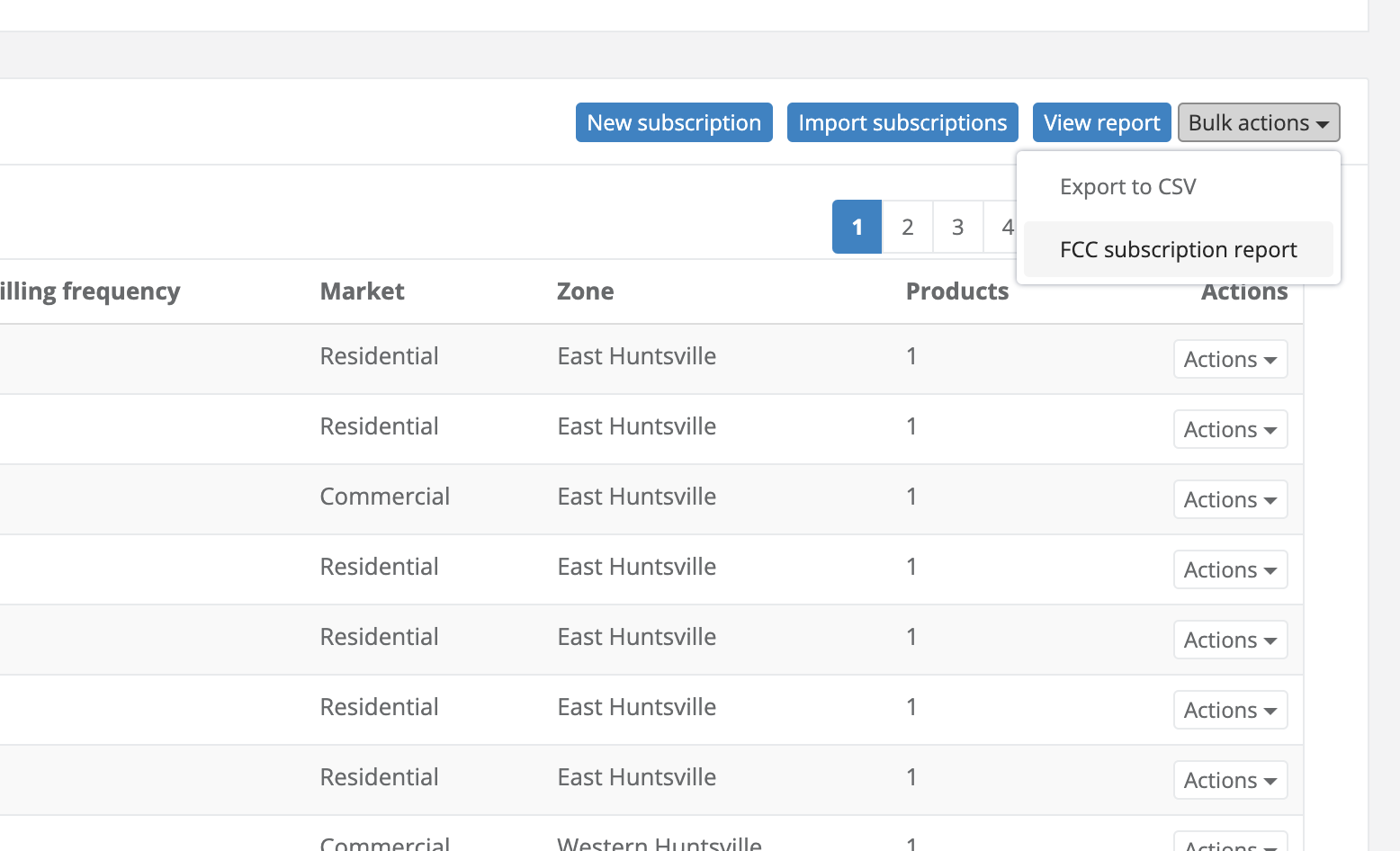
Once you've configured the proper settings for your products, navigate to your Subscriptions index and Select Bulk Actions > FCC Subscription Report:
Your export will look something like this:
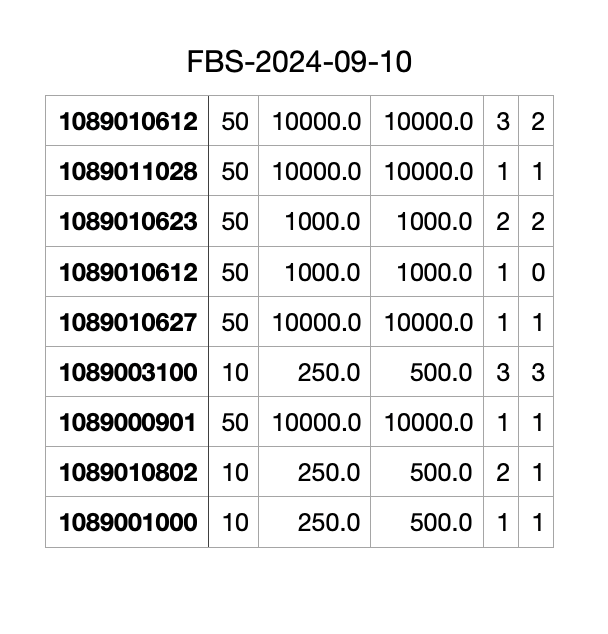
The export above contains the following from left to right:
- Tract Code
- Technology Type
- Advertised Downstream Speed
- Advertised Upstream Speed
- Total Connections
- Consumer Connections
While 13 rows were imported, the export only contains 9 rows because Census Tract Code is designed to represent multiple addresses. The report is designed to only contain rows with unique data. Rows containing the same Census Data on the report have varying technology types, speeds, total connections and/or total consumer connections.