Embed A YouTube Video Into Your Site
You can now embed a video wherever you would like directly in a theme element or in the markup. While logged in as an admin, you can replace a particular image with video on the home page.
1. Hover over that image and see the name of the element.
2. On the left-hand rail of your Admin Dashboard, click Settings
3. In the Settings drop-down menu, click Themes
4. Select the current theme
5. Edit the element you wish to change
6. You will see a small video camera in the text editor. Press that button and then you will see the following prompt.
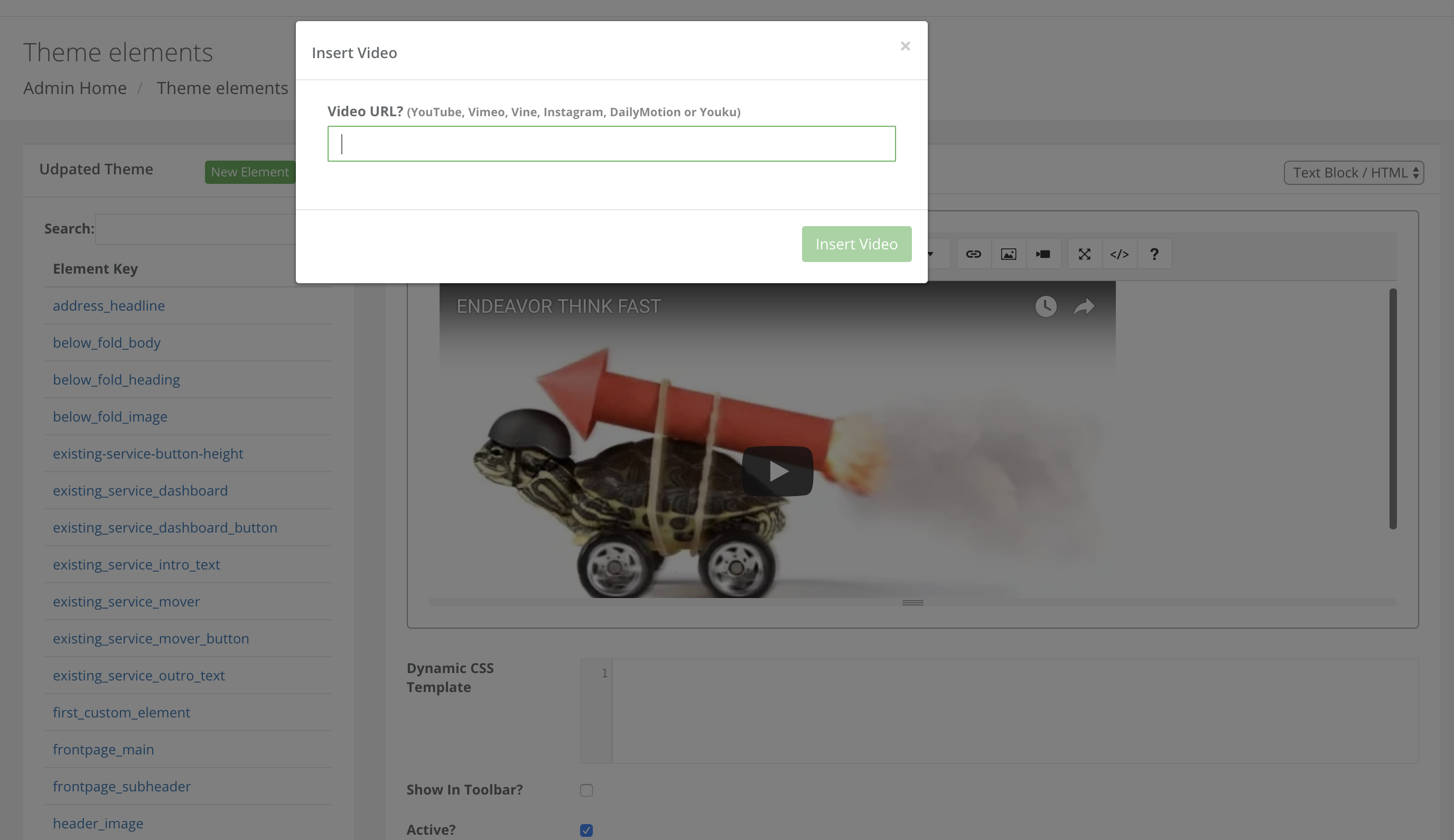
7. Load the video URL with "?rel=0" afterward, press Insert Video and don't forget to save the element as well.