The Feature Forum
What is The Feature Forum?
The Feature Forum is designed to share ideas for areas of improvement within the platform. Ideas that gain the most attention and positive interactions will be prioritized over others in an effort to meet areas with the most demand. Within the Feature Forum, you'll be able to publicly interact with ideas submitted by other clients while also having the ability to introduce personalized ideas.
How to Access The Feature Forum
You have two options:
1. Via The CrowdFiber Help Site
-
Access the Main Page of the CrowdFiber Help Site by clicking the Support link located in the upper right-hand corner of your CrowdFiber Admin Area.

You have probably visited here to access this exact Knowledge Base Document. If not, check it out!
-
On the following page, click the Feature Forum icon that is located just below the search bar.

2. Bookmark The Feature Forum URL
https://support.crowdfiber.com/hc/en-us/community/topics/200787388-Feature-Requests
Here's where these options will bring you:
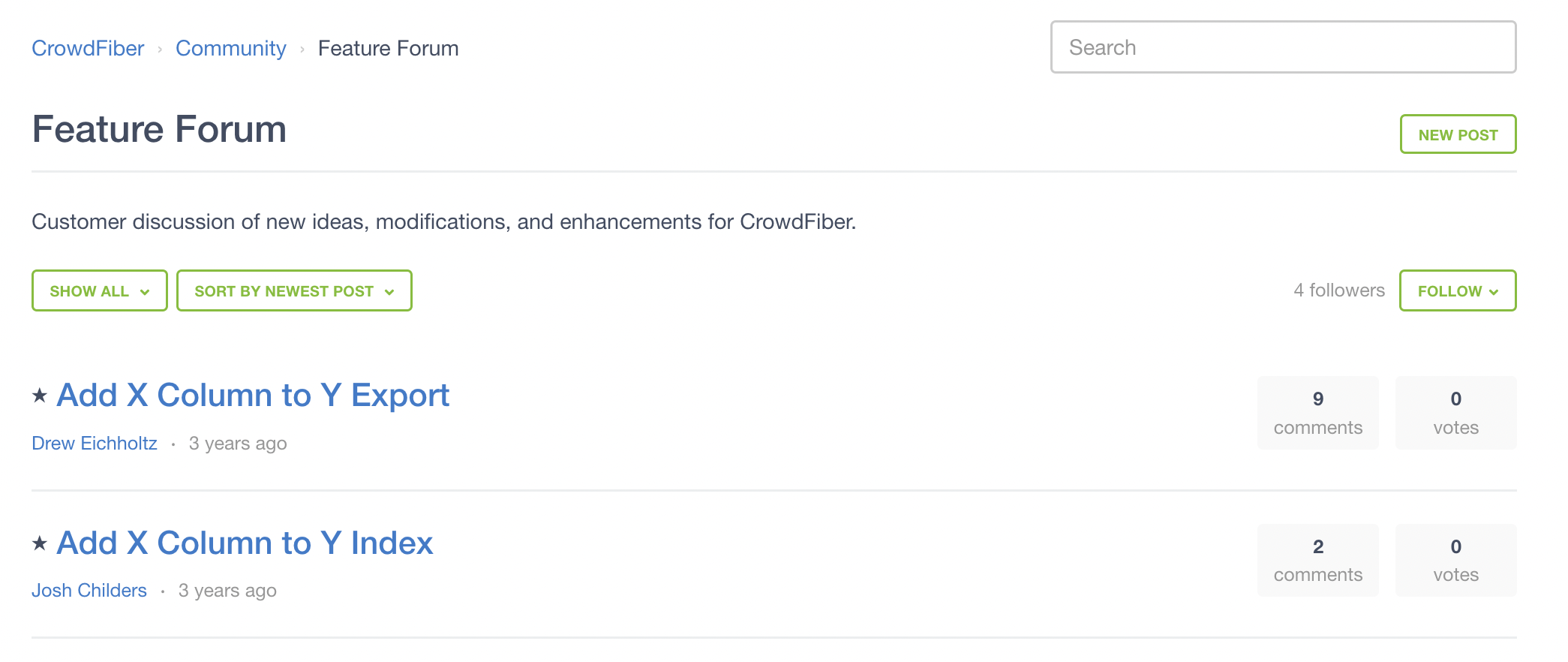
How to Use The Feature Forum
The Search Field, located in the top right, is used to identify any related posts or help documents to your topic. If you're unable to locate any helpful content, you'll need to create a New Post.
Note: New Posts are individually reviewed by our team to ensure authenticity. Please allow 2-3 business days for approval.
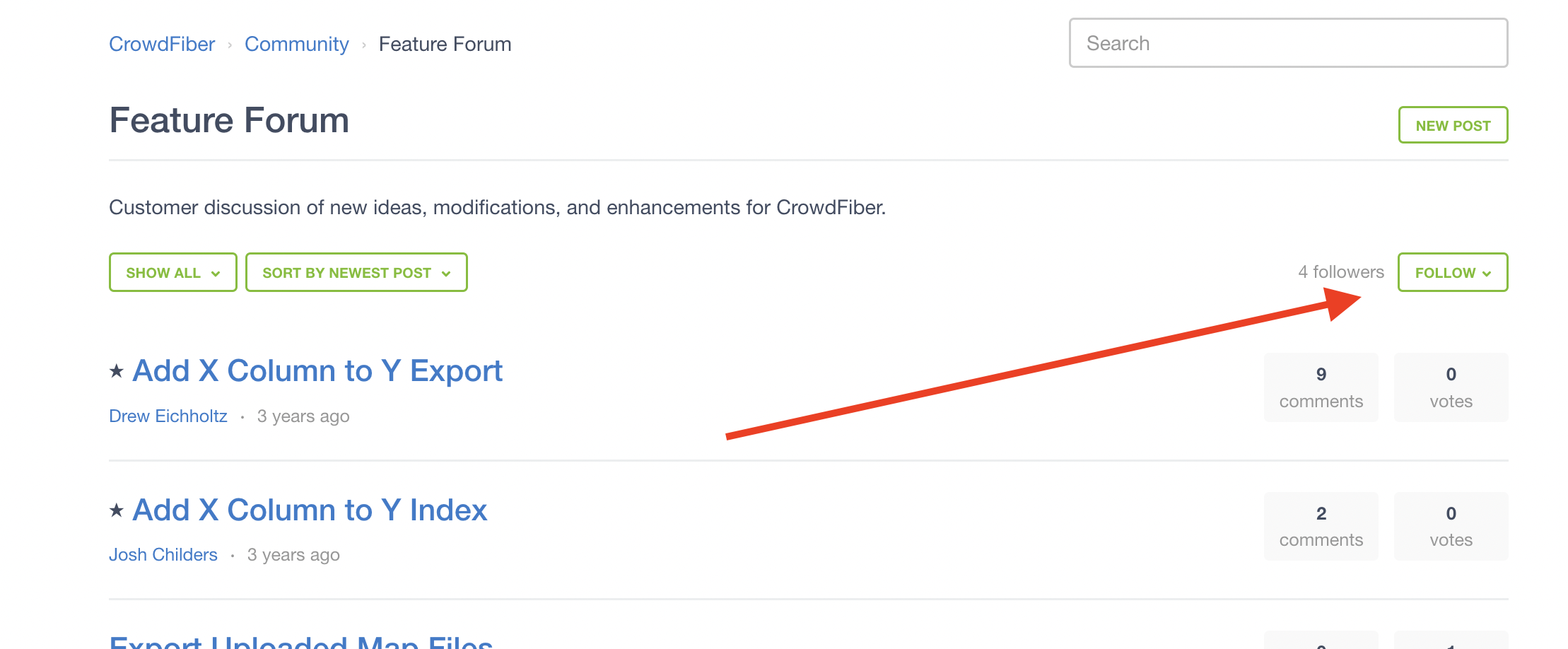
Following the Feature Forum will allow you and your team to stay up to date with new requests and/or comments on all posts, including your own.
Under the Show All tab, you can filter through labels on Feature Proposals.
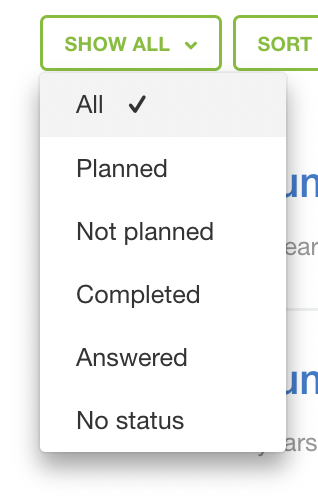
- Planned
- The feature/ area of improvement currently has a path toward development
- Not Planned
- The proposal did not pass our evaluation process
- Completed
- We have implemented the proposed changes
- Answered
- The proposal has an alternative method available
- No Status
- Our team is awaiting more interaction before evaluating the proposal
What is the Evaluation Process?
Once an idea is posted in the forum, it must undergo several phases prior to approval for planning.
Phase 1: Drawing Board:
Engagement by voting and commenting is very critical. This is where everyone introduces their respective thoughts on the topic and agrees or disagrees with the idea. Explaining how your team and others may benefit from the proposed change is highly encouraged.
Phase 2: Analysis:
Our team has received feedback from several clients with possibly several different approaches. We must narrow down our options by deciding how we can meet everyone's needs and the main areas of concern.
Phase 3: Attainability/Feasibility:
We've decided on the best approach for implementation, but we must receive approval for development. If the proposal is not attainable and/or feasible, then someone from our team will update the status of the post to Not Planned. If the approach meets these requirements, then it will receive a Planned status.
Phase 4: Design:
The Development Team has approved the idea and the post has received a Planned status. This means they are designing compatible code that meets expectations from the majority. Features that have gained the most traction may be provided with an Estimated Date of Completion. Please note that any dates provided are subject to change as the code undergoes our code review process. Before updates are released, we must also ensure that it's compatible with existing code.
Please note that ETA's associated with building out and implementing New Features and Improvement Areas will vary based on complexity and priority.
Comments and Voting:
The best way for a proposal to gain traction is through interactions. The higher the vote, the higher the demand! We highly encourage interactions with posts from other clients so that we can accurately gauge areas of importance. To vote or comment, you'll need to click the title of the Proposal.
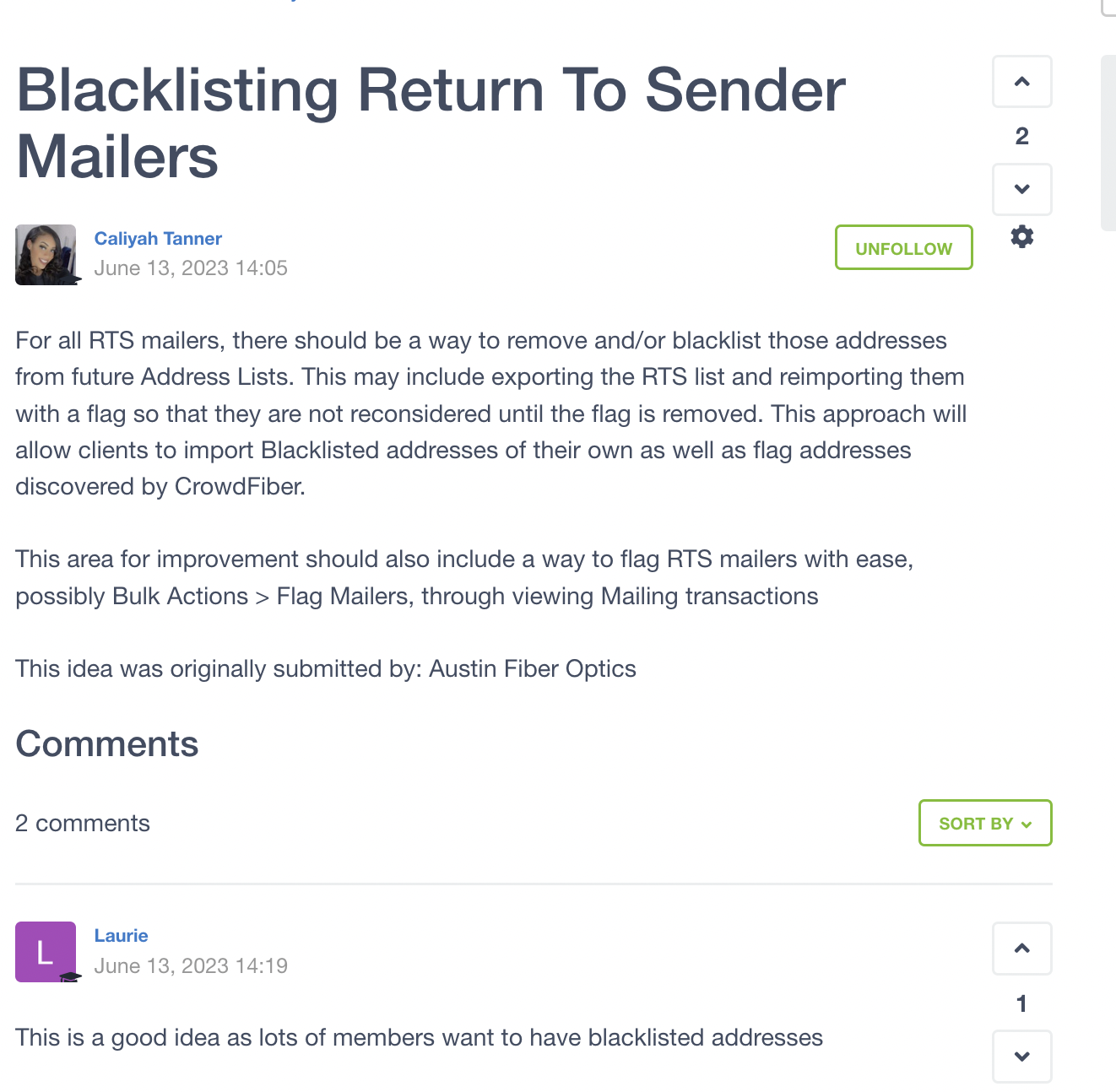
The arrows on the right-hand side allow you to up-vote/ down-vote an idea or comment. A negative vote indicates that there are several people who disagree with the idea.
Below the post is where you'll find the comments section. Comments from clients are reviewed by our team before they're visible to the public. Please allow 2-3 business days for approvals
From this page, you can also follow/unfollow specific posts instead of following the entire forum.