Request New Registration FAQs
- To view our step-by-step guide to using Request New Registration, please click here.
What happens to the initial registration?
No information is deleted with the use of Request New Registration. All information captured in the initial registration will remain available. However, the initial and new registration records will be separate registration records in your Orders index.
- The New Registration: This registration is seen in your default Orders index.
- The Initial Registration: this registration will not be displayed in your default Order Index. The initial registration order is automatically archived when the new registration is submitted.
How do I view initial vs. new registration records?
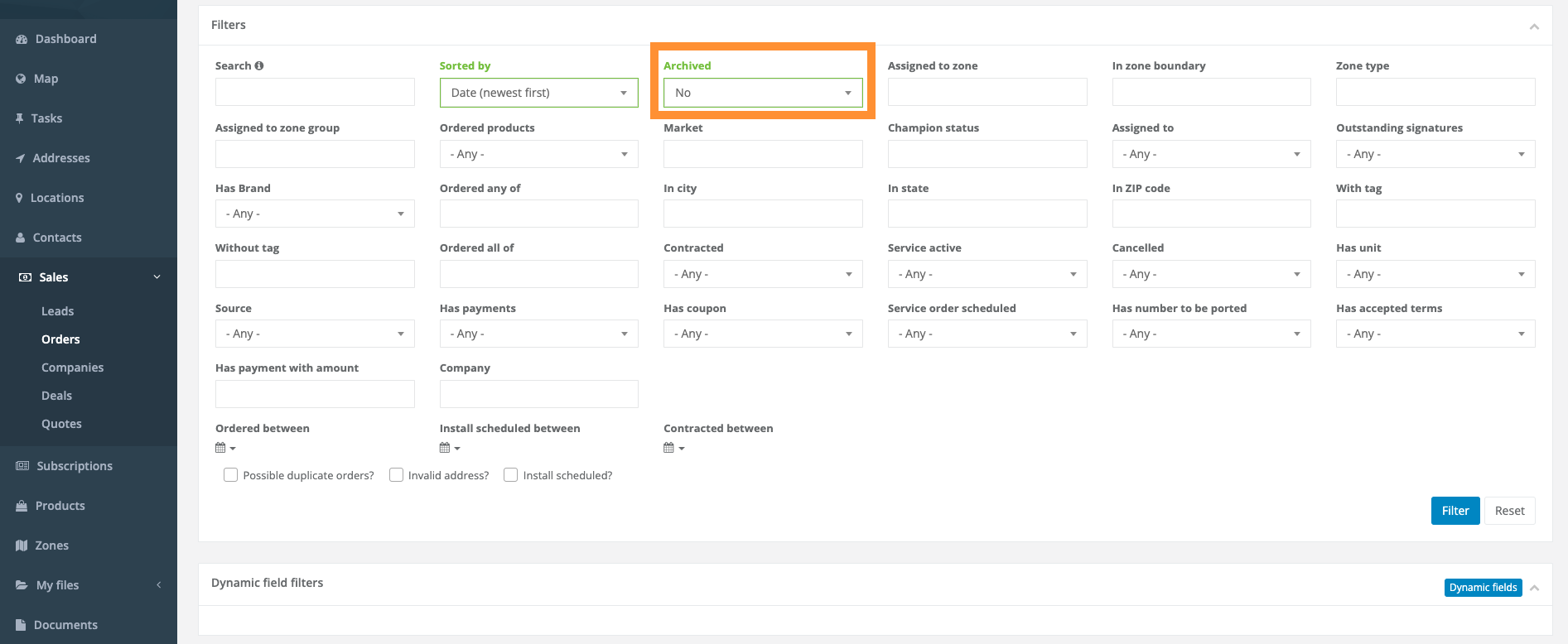
Filter Your Orders Page
- Archived orders are orders that are Hidden from view. The orders still exist in your database, but they will be filtered out of your index by default (please see below).
- Archived = No (Will not show archived orders)
- Archived = Yes (Will show only archived orders)
- Archived = Any (Will show all orders)
Utilize the Order timeline
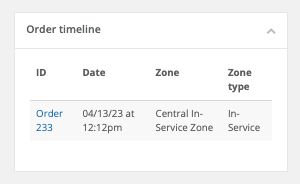
- The order timeline will show the previous order history.
- Within a new registration record, a link to the original registration will be available in the Order Timeline object located below the map on the right-hand side of the new registration's Order record.
- Within an archived order record, a link to the new order record will be located in the order timeline section of the original order record as seen below.
How do I know when a new registration is completed?
- You will receive a targeted internal notification just as you do for all registrations via email.
- You will see the new registration at the top of your Orders index.