How Do Addresses Get Into Your CrowdFiber Database?
There are three ways an address can get into the CrowdFiber Address database:
- When you draw or import a zone boundary, CrowdFiber will go out and "fetch" all addresses and parcels that fall into that area. We do this using a national data partner who aggregates address and parcel data from county GIS departments nationwide.
- You can import addresses into CrowdFiber from your own billing or operations/engineering/mapping systems. As a last resort, you can also import addresses from E911 systems - in the event that neither tax/parcel data nor your own systems have the required data.
- When a registrant searches for their address on the frontend of the site, if the address they search for doesn't already exist in CrowdFiber, we will add it to the database, geocode its location, etc.
There are two rare occasions when a physical address does not exist in address databases:
- Extremely rural areas may have addresses that have never been added to address databases.
- Brand new housing developments may not have had their addresses updated to address databases.
For example:
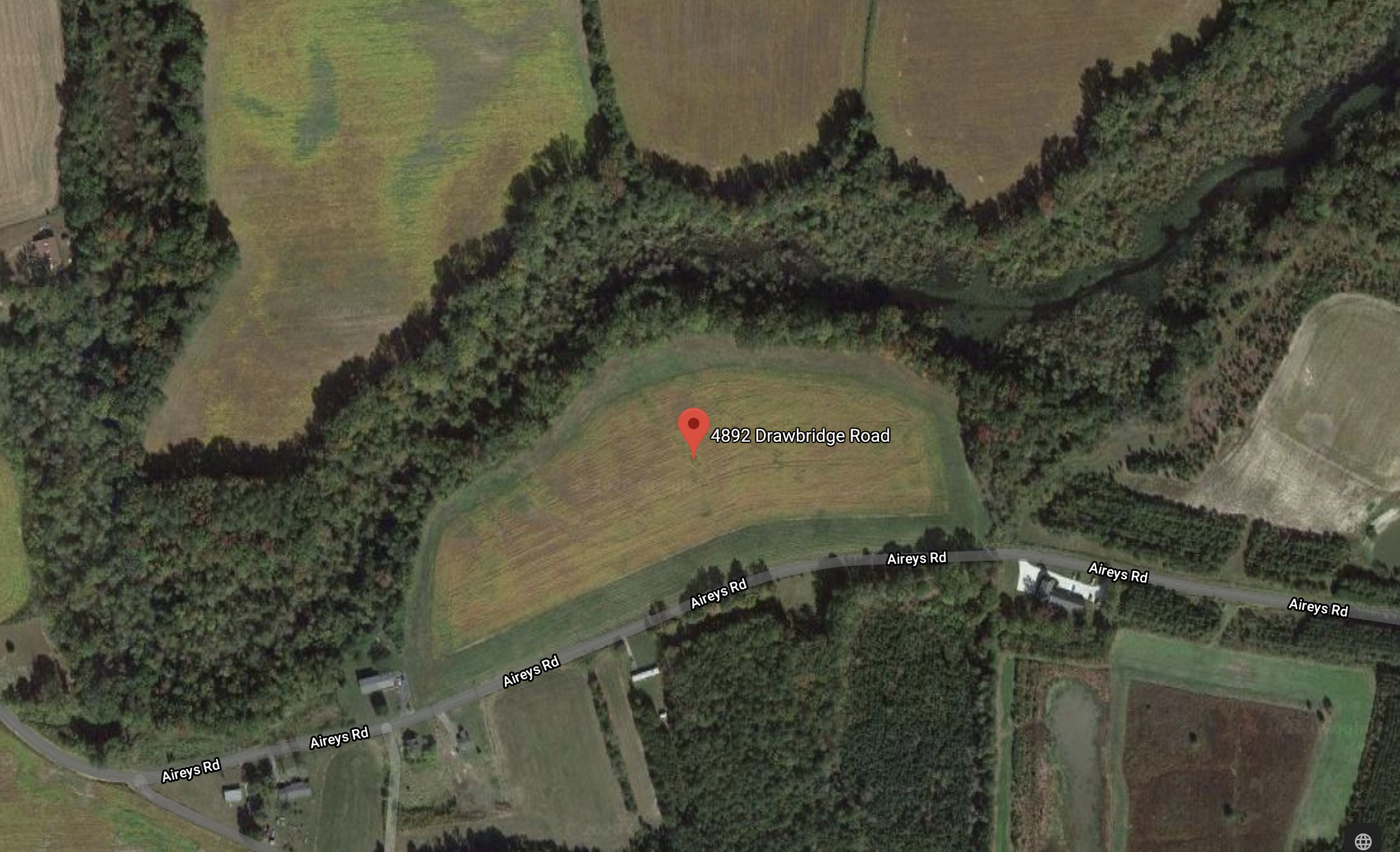
A structure exists at the address 4892 Drawbridge Rd. However, multiple address databases only display a plot of land, not an address with a serviceable structure (see the image below).
To add addresses to your platform that do not exist in address databases you'll need to perform an Address Import (click here to see how to perform an Address Import ).
Make sure to follow all of the instructions and best practices in the Address Import document linked above, including the instructions in the section "Preparing a CSV of Addresses That Do Not Exist in Your CrowdFiber Database.