Assigned to Zone vs. In-Zone Boundary Filters
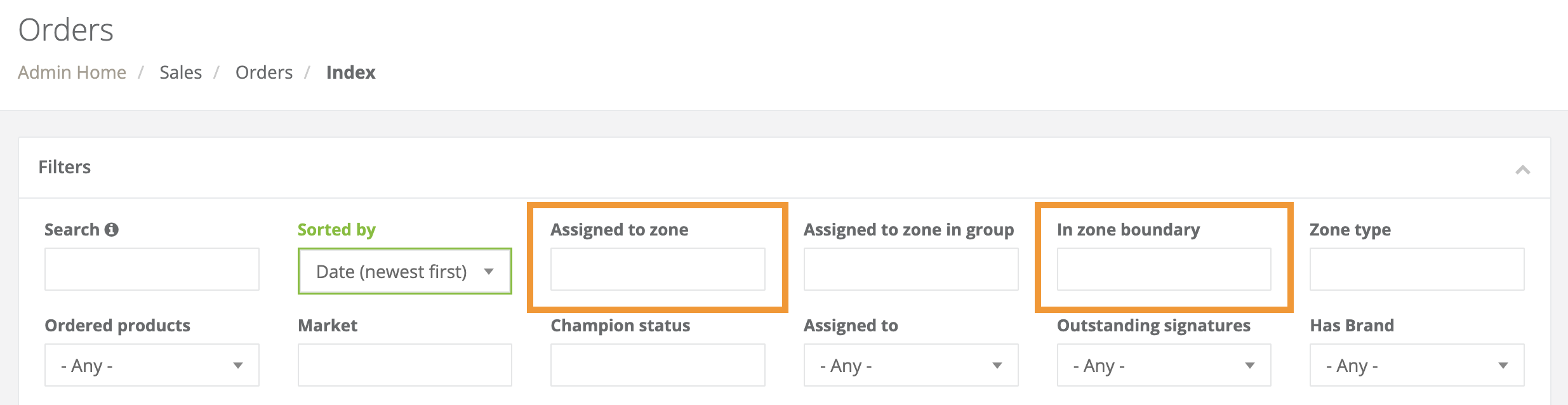
Assigned to Zone
- All orders that have proceeded through a registration process for the filtered zone(s).
- This filter displays:
- The orders that create the zone(s)' order metrics.
In Zone Boundary
- All orders that exist within the geometry of a zone.
- This filter displays the sum of:
- The Assigned to zone filter results
- All orders that have proceeded through a registration process for the filtered zone(s).
- All orders that exist in areas where the filtered zone(s) overlap with other zones.
- All orders that exist within the filtered zone(s)' boundaries but are assigned to other zones.
- The Assigned to zone filter results
Click here to learn more about how to set zone priorities.
Filter Example
In areas where zones overlap, the orders are determined to be assigned to a zone vs. in a zone's boundaries as established by your zone priority settings.
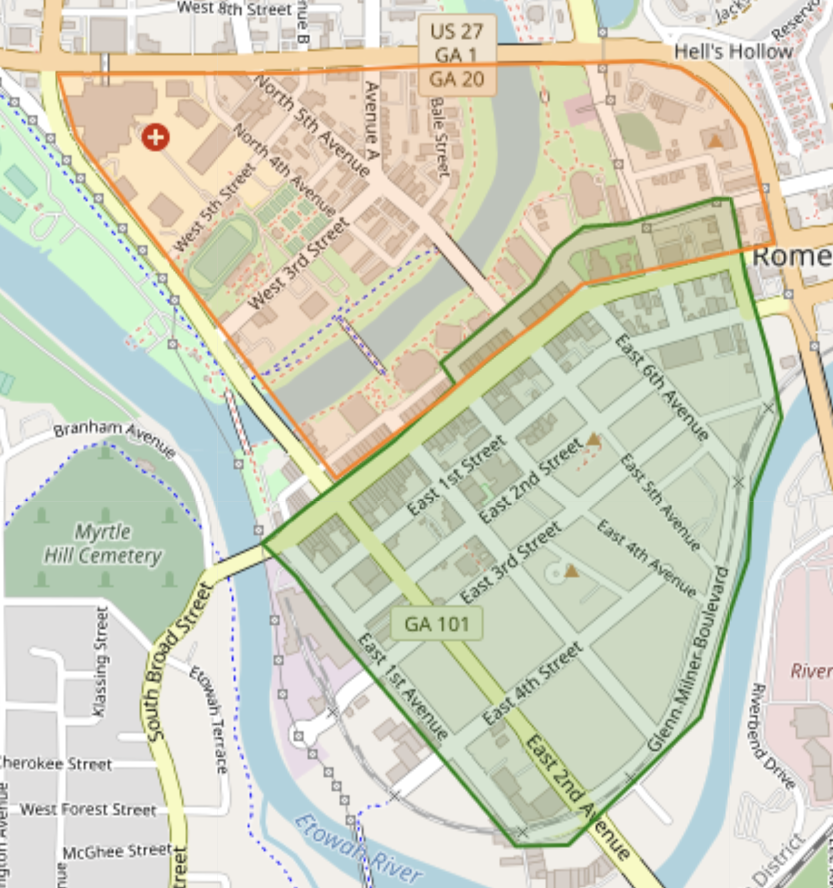
The green zone has higher priority than the orange zone.
Orange Zone (lower priority)
Assigned to zone filter
- All orders that exist exclusively in the orange zone's boundaries.
Orders in the areas where the green and orange zones overlap will be excluded from this filter's results.
- In-zone boundary filter
- All orders that exist exclusively in the orange zone's boundaries.
- All orders in the areas where the green and orange zones overlap.
Green Zone (highest priority)
- Assigned to zone filter
- All orders exist in the green zone's boundaries.
This includes the areas where the green and orange zones overlap.
- In-zone boundary filter
- All orders exist in the green zone's boundaries.
- All orders in the areas where the green and orange zones overlap.