Which Questionnaire/Survey Will Be Shown to Remote Backers?
If you want to create a questionnaire that will be used for Remote Backers (users who register who are not in one of your in-service or pre-registration zones), follow these instructions:
- Create a questionnaire that is JUST for remote backers. You can duplicate questions that you may have on your other questionnaires if you want. Name that questionnaire Remote Questionnaire or something similar so you will remember what it's for.
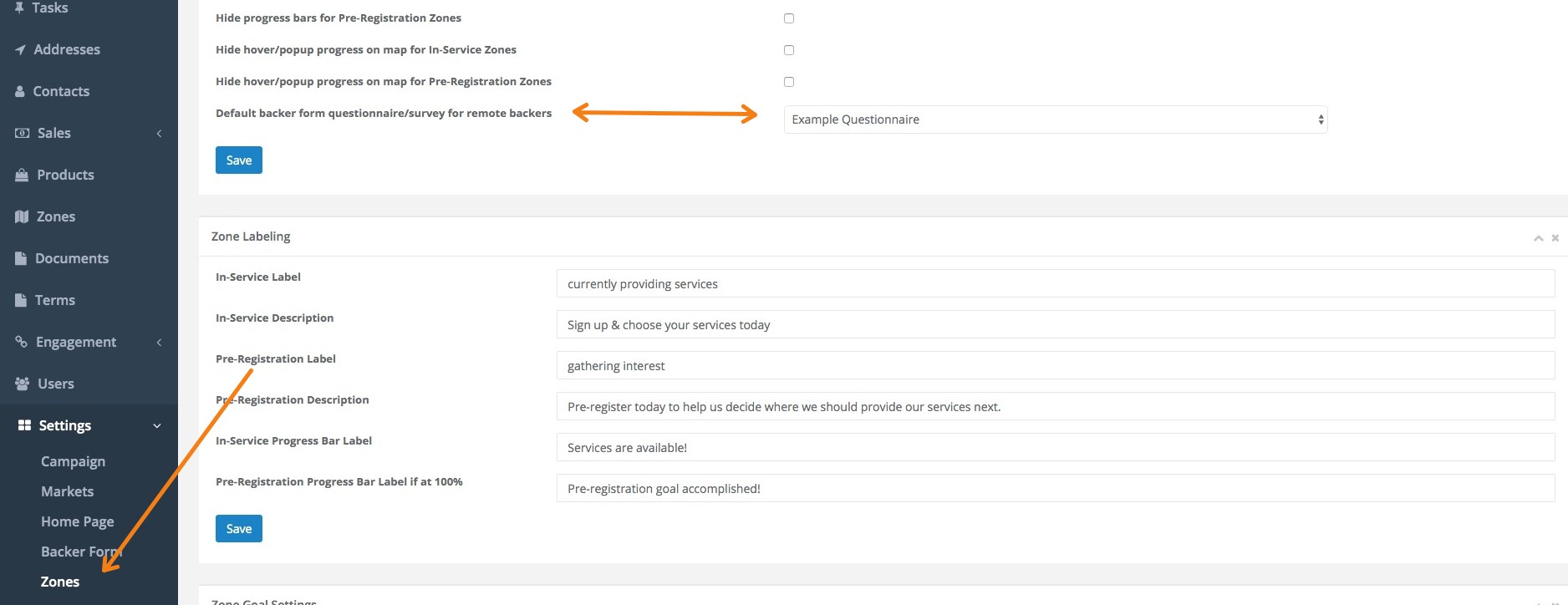
- Go to Admin>Settings>Zones and look for the dropdown box that is labeled Default backer form questionnaire/survey for remote backers.
-
Set that to the Remote Questionnaire you created above. Be sure to click Save when you're done.
NOTE:
This questionnaire will be used for ALL remote backers - regardless of whether they are residential or commercial. Make sure the questionnaire is generic and that the questions are OK for both markets.