Success Panel Messages
What Are Success Panel Messages?
- Success Panel Messages are seen immediately after the registrant clicks the Submit button on the Review panel of your registration processes.
-
Success Panel Messages are perfect for setting the next steps and keeping registrants excited about your services after they submit their registration.
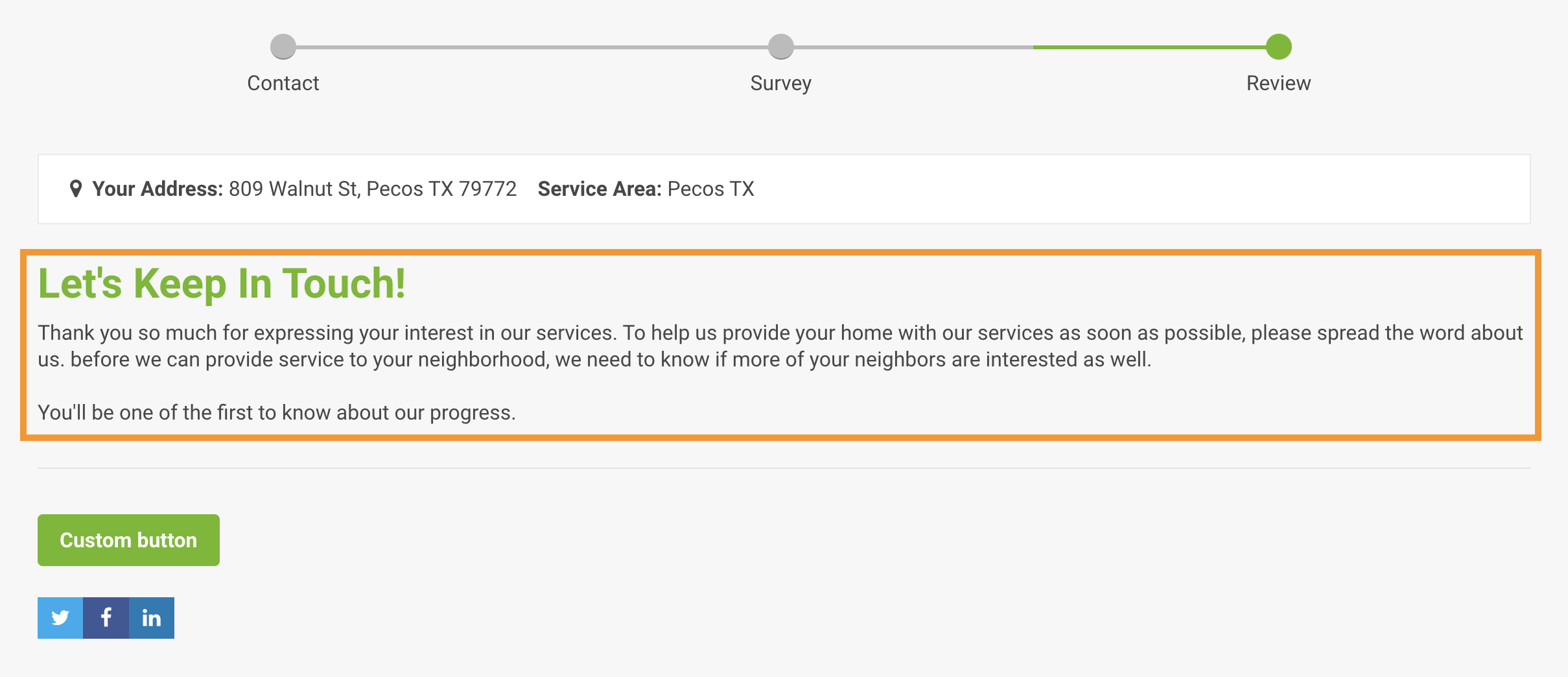
Location of Success Panel Text
-
The Success panel in a registration process.
The panel that is seen after the Submit button is clicked in a registration process.
Content Targeting
- This content is exclusive to Residential Registrants in In-Service zones.
- This content is exclusive to Commercial Registrants in In-Service zones.
- This content is exclusive to Residential Registrants in Pre-Registration zones.
- This content is exclusive to Commercial Registrants in Pre-Registration zones.
- This content is exclusive to Residential Registrants in Remote areas.
-
This content is exclusive to Commercial Registrants in Remote areas.
Exclusive content can be created for individual zones.
Goals For Success Panel Messages
- Express some gratitude and confirm the submission of their registration.
- Set expectations and next steps for a registrant who has just submitted a registration.
- Inform the registrant of the next actions they need to take.
- Let the resistant know what communication to expect from your organization.
- Avoid buyer's remorse and cancelations by communicating information that keeps your registrants excited about the submission of their registration.
Best Practices
- To avoid formatting issues and errors when copying and pasting text from other software, you must paste unformatted/plain text into CrowdFiber textboxes.
- Click here to learn how to copy and paste text into CrowdFiber.
- Video Tutorial: An Intro to CrowdFiber Creativity
Tip
Less is More. Keep Success panel messages brief. Succinct content avoids registrant confusion and reduces abandoned registration processes.
Keep your communication consistent.
- Write in your organization's tone of voice.
- Use your brand vocabulary: nouns, adjectives, verbs, and terminology displayed across your primary website and marketing materials.
In-Service Message
- Communicate the next steps toward getting their services installed.
Pre-Registration Message
- Let registrants know how you’ll be keeping them up to date on your organization's progress toward providing service to their address. Encourage them to encourage their neighbors to sign up as well.
Remote Message
- Be straightforward that your services will not be available in the near future, but communicate that they'll be one of the first people to know if you plan to expand services into their area.
How to Edit Success Panel Messages
- Begin a test registration process
- Enter the appropriate test addresses seen above the address search bar on your CrowdFiber Home Page into the address search bar.
- Identify yourself with the correct market in the Service Type drop-down menu.
- Click the Go button in the address search bar.
- Proceed through your registration process until you arrive at the Success panel.
- Click the Success Message located at the top of the Success panel.
- Edit the Success Message within the click-to-edit text editor.
- Click the blue Save link located inside the green ribbon that is displayed at the top of your Success panel.