Embed a Service Areas Map
Add Your Service Areas Map Widget To Your Proprietary Website
Embedding a service areas map widget into your proprietary website is as simple as copying and pasting a piece of Javascript into the HTML of your proprietary website, which can be completed in two activities,
Before You Get Started
Your Custom URL must be created before you can embed an Address Search Widget into your proprietary website.
Part 1) Access The Service Area Map Widget Script
- Log into your Admin Dashboard through your custom CrowdFiber URL.
- Click the Integrations link located in the left-hand rail of your Admin Dashboard.
- Click the Widgets link located in the Integrations drop-down menu.
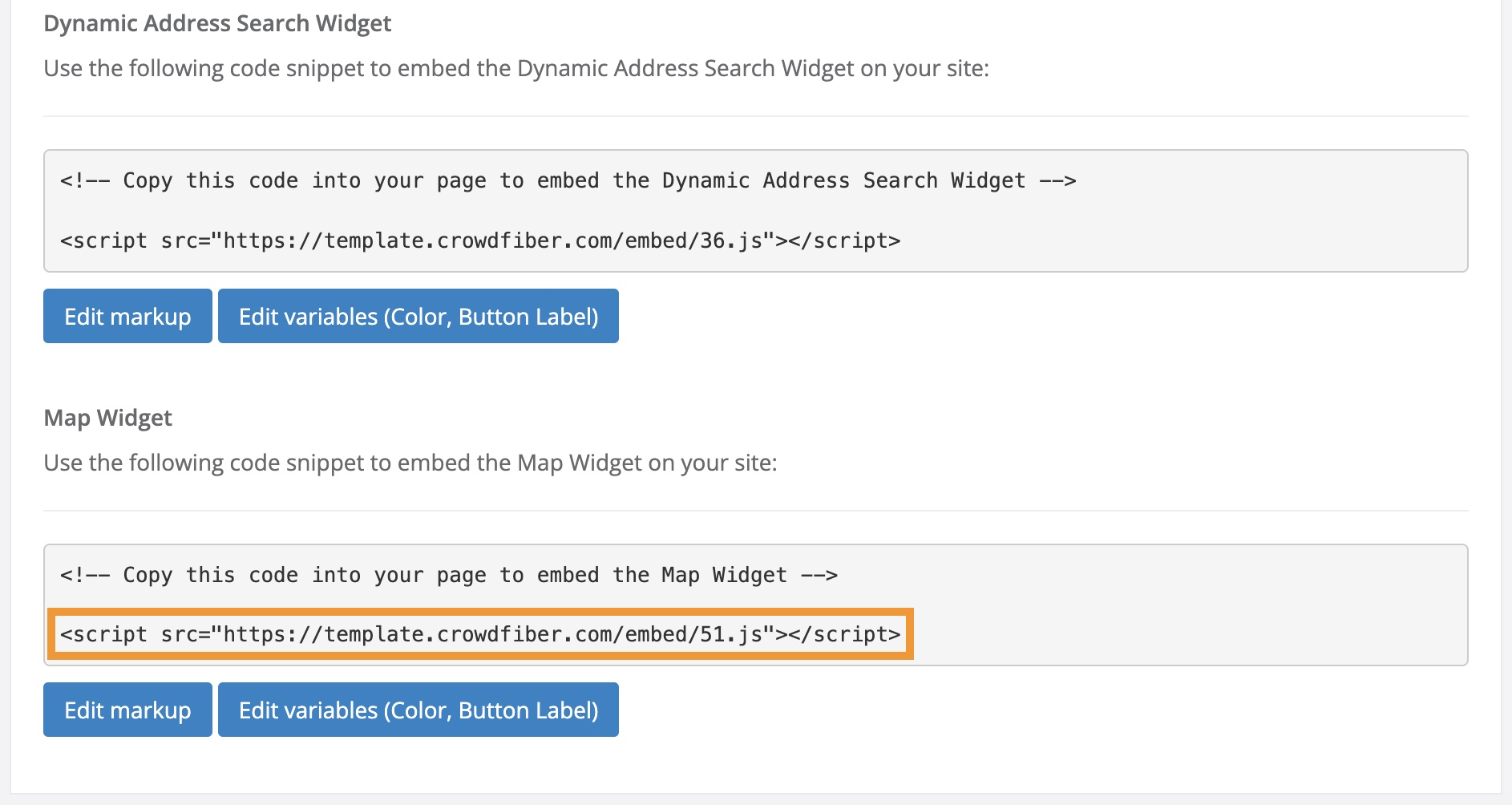
- On the following Integrations Widget page, scroll to the Map Widget section.
Part 2) Add The Service Areas Map to Your Proprietary Website.
- Copy the Map Widget Script in your CrowdFiber Admin Dashboard.
-
Paste the script into the HTML markup of your proprietary website. The Service Areas Map will display in the precise location where the script is embedded in your HTML.