Post-Registration Navigation Buttons
What is The Post-Registration Navigation Button?
- The Post-Registration Navigation button is a button with the custom call to action and hyperlink of your choice displayed on the Success panel of your registration process (the panel seen after the registrantclicks the Submit button on the Review panel).
- The Post-Registration Navigation button is an opportunity to guide your new registrant to the next steps in their customer journey with your organization.
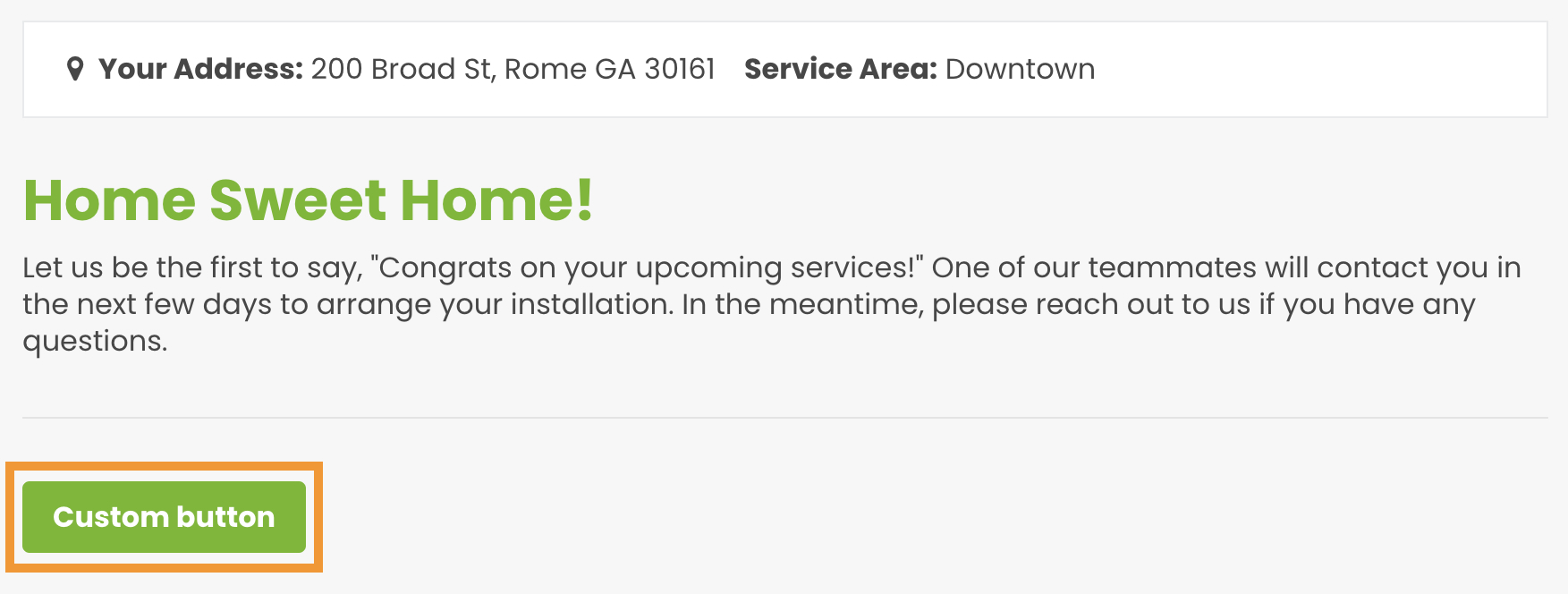
Location of The Post Registration Navigation Button
- The Success Panel of your Registration Process.
Post Registration Navigation Button Targeting
-
There are six unique Post Registration Navigation Buttons (each with a unique call to action and a unique link) that need to be customized at the end of each registration process for each market; this list includes:
- Residential In-Service Success Panel
- Commercial In-Service Success Panel
- Residential Pre-Registration Success Panel
- Commercial Pre-Registration: Success Panel
- Residential Remote Success Panel
- Commercial Remote Success Panel
How to Edit The Post Registration Navigation Button
-
Button Text/Call to Action
- Click the current call to the action seen in the Post Registration Navigation Button.
- Edit the text.
- Click the blue Save button that appears in the green ribbon at the top of your screen.
-
Button Link
- Double-click the button text.
- Highlight all of the text within the button with your cursor.
-
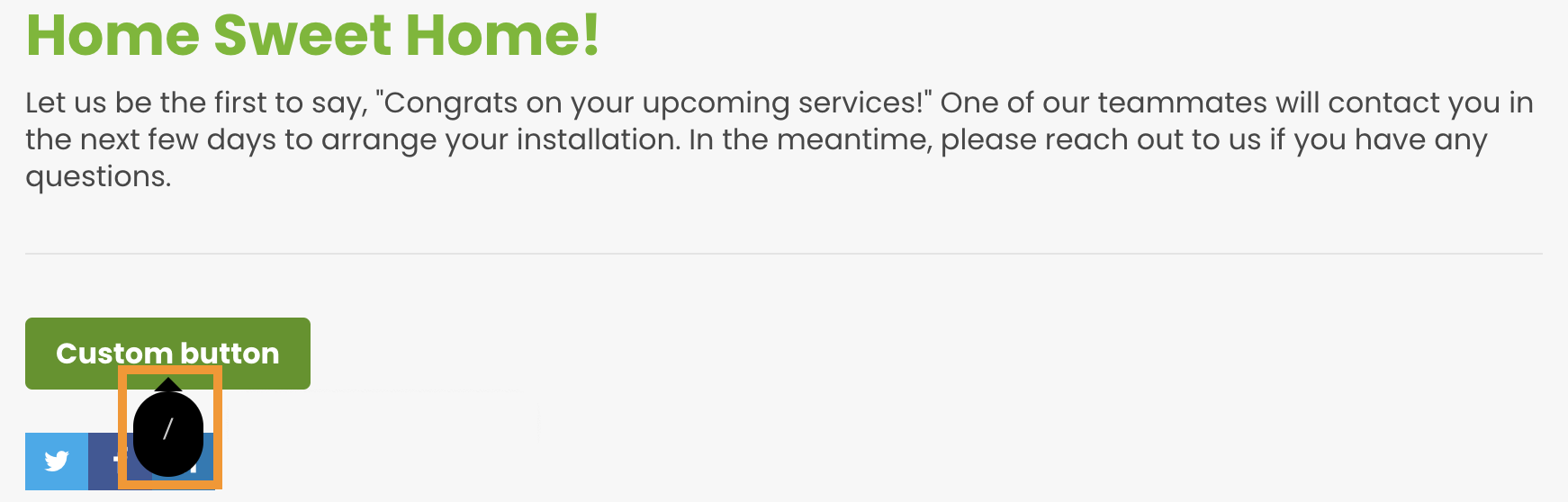
Click the black bubble containing a "/" character that pops up.
-
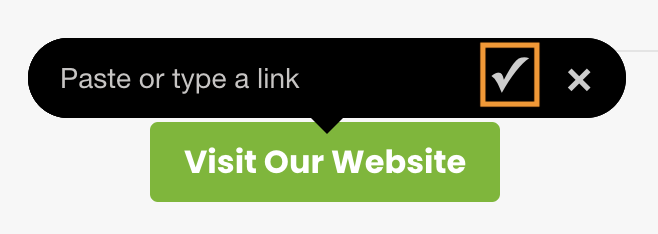
In the following popup that appears above the button, type or paste your hyperlink.
-
Click the checkmark icon seen on the right-hand side of the popup.
Clicking the checkmark icon will save and apply your hyperlink to the button.